Redesigning Trust — HLB's End-to-End
Banking Experience
A full-stack UX overhaul of Hong Leong Bank's consumer-facing mobile & desktop app, paired with a ground-up redesign of the backoffice approver workflow — eliminating half-manual, half-system friction for Malaysian banking operations.
App Store Rating
Up from 2.8
Task Completion Lift
58% → 89%
Faster Approvals
47 min → 12 min
Annual Op. Savings
Estimated USD
The Challenge
Five Compounding Problems
Costing HLB Customers & Revenue
User research across 24 participants and internal stakeholder interviews uncovered five interconnected UX failures — together causing measurable churn and operational overhead.
Fragmented Navigation & IA
Core features like DuitNow, Swift Transfers, and Fixed Deposits were buried 4 levels deep. 68% of tested users needed help finding basic functions within their first session.
Est. 22% drop-off on key banking tasksHigh Task Abandonment Rate
Only 58% of users completed a fund transfer without errors or abandonment. Login flows had a 34% dropout rate — users citing confusing OTP and TAC entry screens.
~$680K/year in failed digital transactionsEroded Trust & Security Perception
The dated visual design — low contrast, inconsistent iconography, unclear error states — made users question the app's legitimacy. Trust scores rated 3.1/10 in sessions.
34% users called support to verify transactionsAccessibility & Usability Gaps
Tap targets below 32px, colour contrast failing WCAG AA, no screen-reader labels. Older user segments (40+) accounted for 61% of all support calls.
High support cost from accessibility failuresBroken Backoffice Approver Flow
Swift Payments, Bulk Uploads, and DuitNow approvals required approvers to juggle 3 systems — internal portal, email threads, and spreadsheets. Average batch review: 47 minutes.
1,200 FTE hours lost per monthThe Combined Cost
Together these failures cost HLB approximately $4.1M annually in lost digital conversions, avoidable support overhead, and operational inefficiency — before the redesign.
Total identified business impactResearch Methods Used
24 User Interviews
Retail & corporate banking customers across KL and Penang
5 Usability Test Sessions
Moderated think-aloud protocol on existing HLB Connect app
3 Stakeholder Workshops
Operations, compliance, and product team alignment on backoffice pain points
The Solution
Three Design Pillars,
One Cohesive System
We restructured the experience across three layers — consumer mobile app, desktop web portal, and the internal backoffice approver tool — all sharing a unified design system.
From 4 Levels Deep to 2 Taps Away
A card-sorting exercise with 18 participants revealed how customers mentally group banking tasks. Result: a flattened navigation with a persistent bottom bar (mobile) and consolidated sidebar (desktop), surfacing the 6 most-used functions — Transfers, Pay Bills, DuitNow, Cards, Accounts, More.
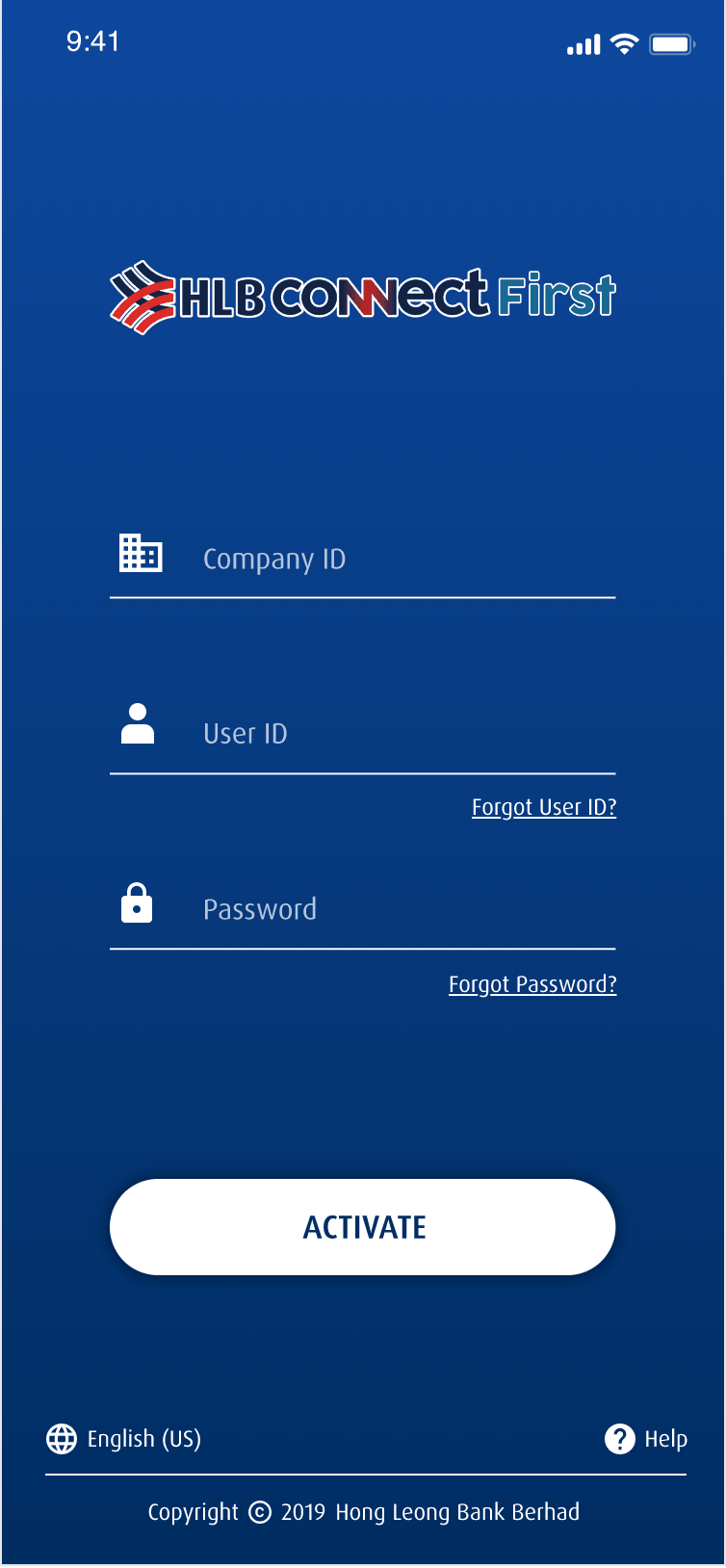
Login — ConnectFirst
Clean entry point with brand identity
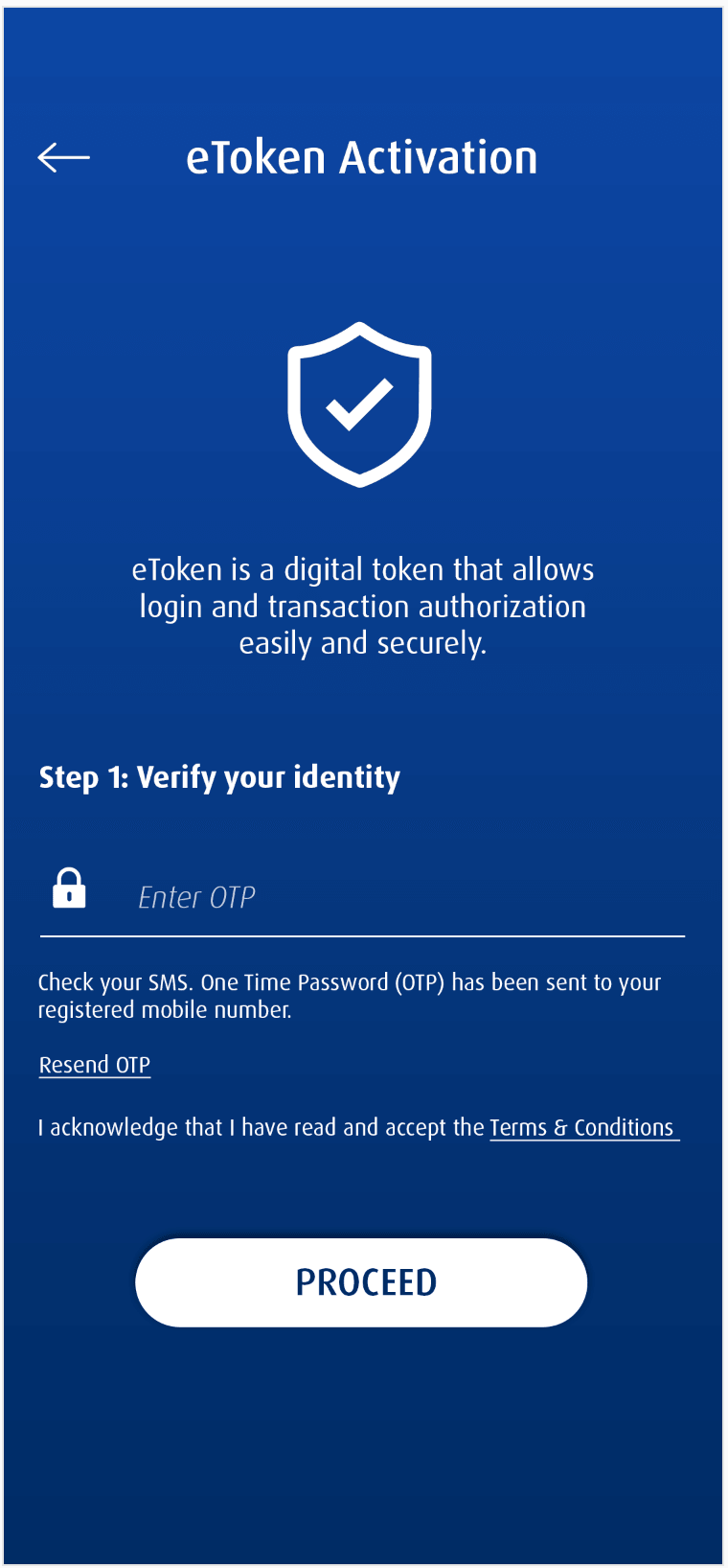
Authentication
Streamlined credential + verification flow
Designed for the Thumb Zone
Every mobile screen was designed around thumb-reach ergonomics, WCAG AA contrast compliance, and progressive disclosure. Authentication was streamlined with biometric-first login, reducing the TAC/OTP friction that caused 34% abandonment.
Thumb-Zone Optimised
All primary CTAs sit in the bottom 40% of the screen. Minimum tap target raised to 44×44px.
Biometric-First Auth
Face ID / fingerprint as primary login. TAC entry redesigned with auto-paste and clear step indicators.
WCAG AA Compliant
All text contrast 4.5:1 or above. Full screen-reader label coverage. Dynamic text size support.
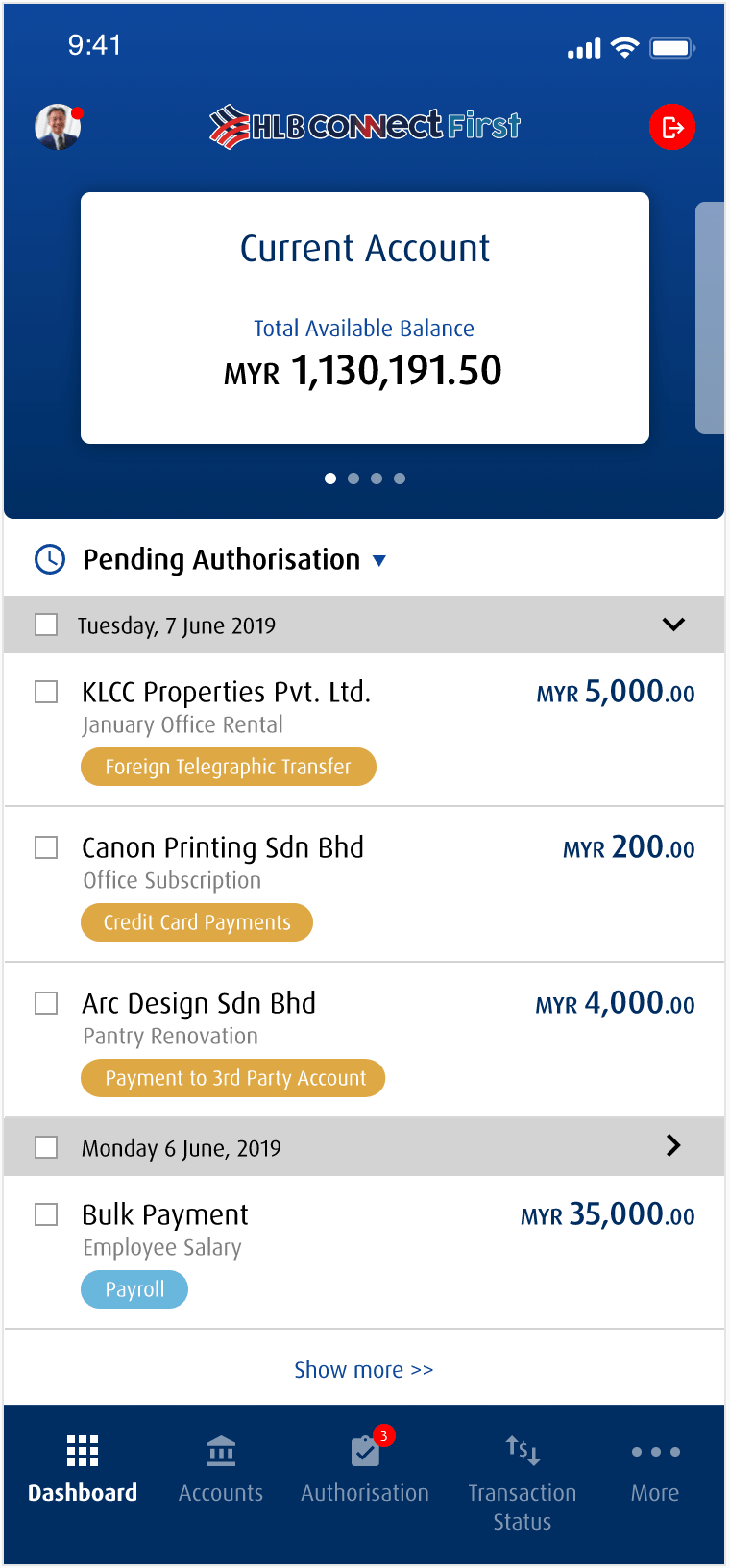
Mobile Dashboard
Account balance card + pending authorizations
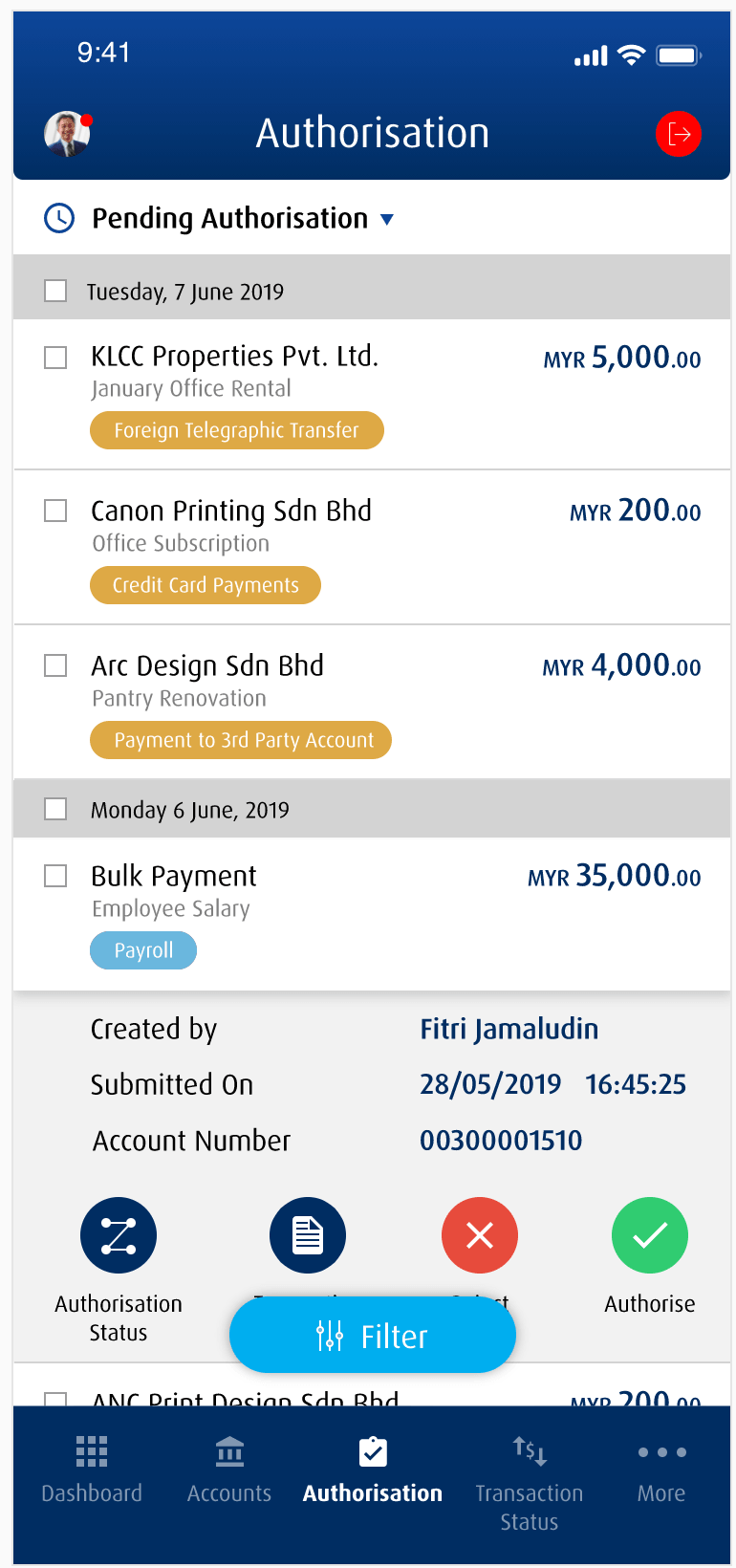
Authorization List
Payment types with approve/reject actions
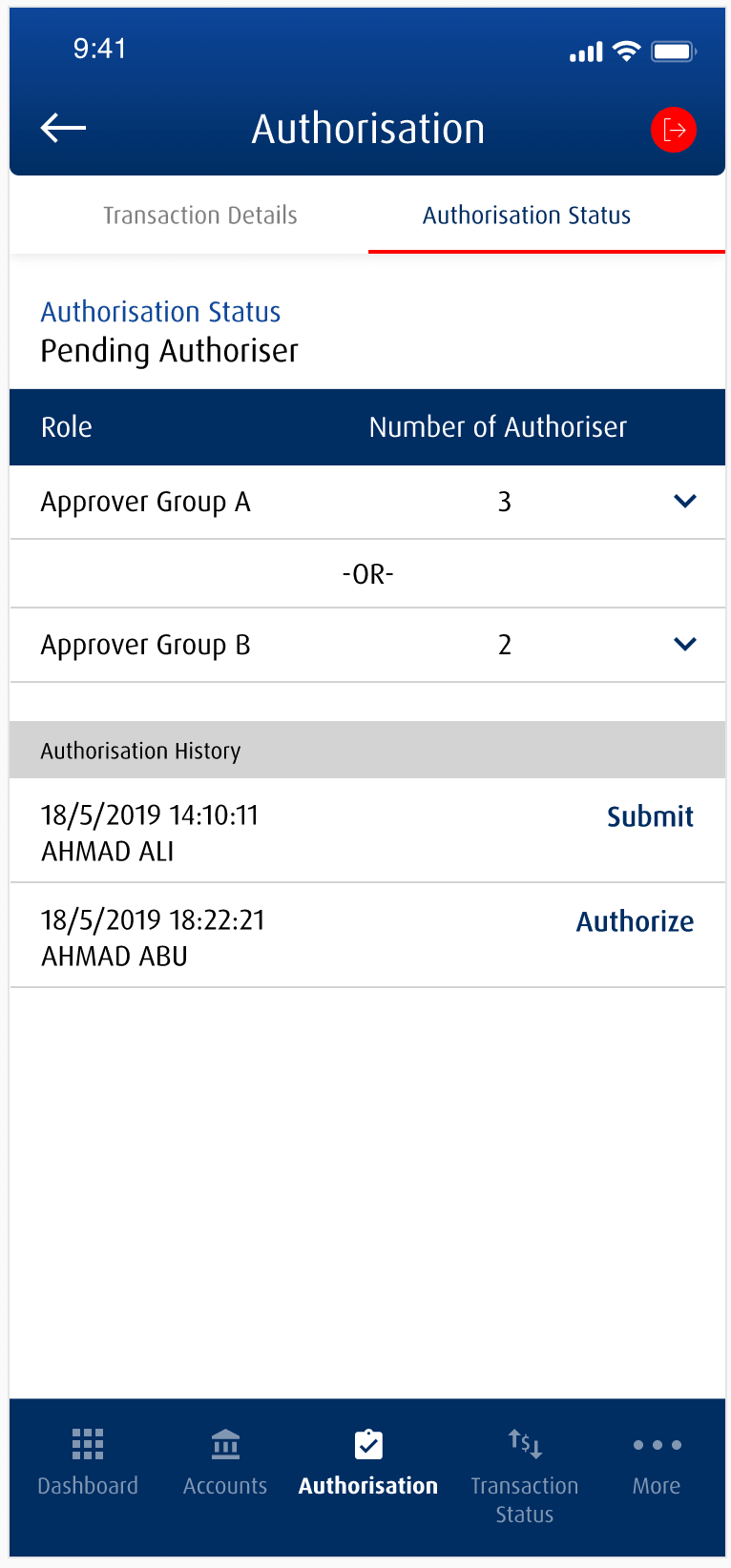
Authorization Status
Approver groups + transaction history
Unifying the Approval Chain
Corporate banking approvers were the most underserved users. The old workflow required checking an internal portal for Swift Payments, switching to email for Bulk Upload confirmations, and manually cross-referencing spreadsheets for DuitNow batches. Every approval batch averaged 47 minutes. We built a unified Approver Hub that collapsed all three into a single screen.
Before — 3 Systems · 47 Min Average
Log into HLB Internal Portal
System AReview Swift Payment queue manually
System ASwitch to email — find Bulk Upload confirmation
EmailCross-check DuitNow batch in spreadsheet
ManualRe-enter approvals back in portal
System AAfter — 1 Hub · 12 Min Average
Open Approver Hub — all pending items loaded
Unified viewFilter by type: Swift · Bulk Upload · DuitNow
Smart filtersReview transaction details inline with audit trail
In-contextBulk approve or flag exceptions with one action
Batch actionDigital approval captured — no re-entry needed
Automated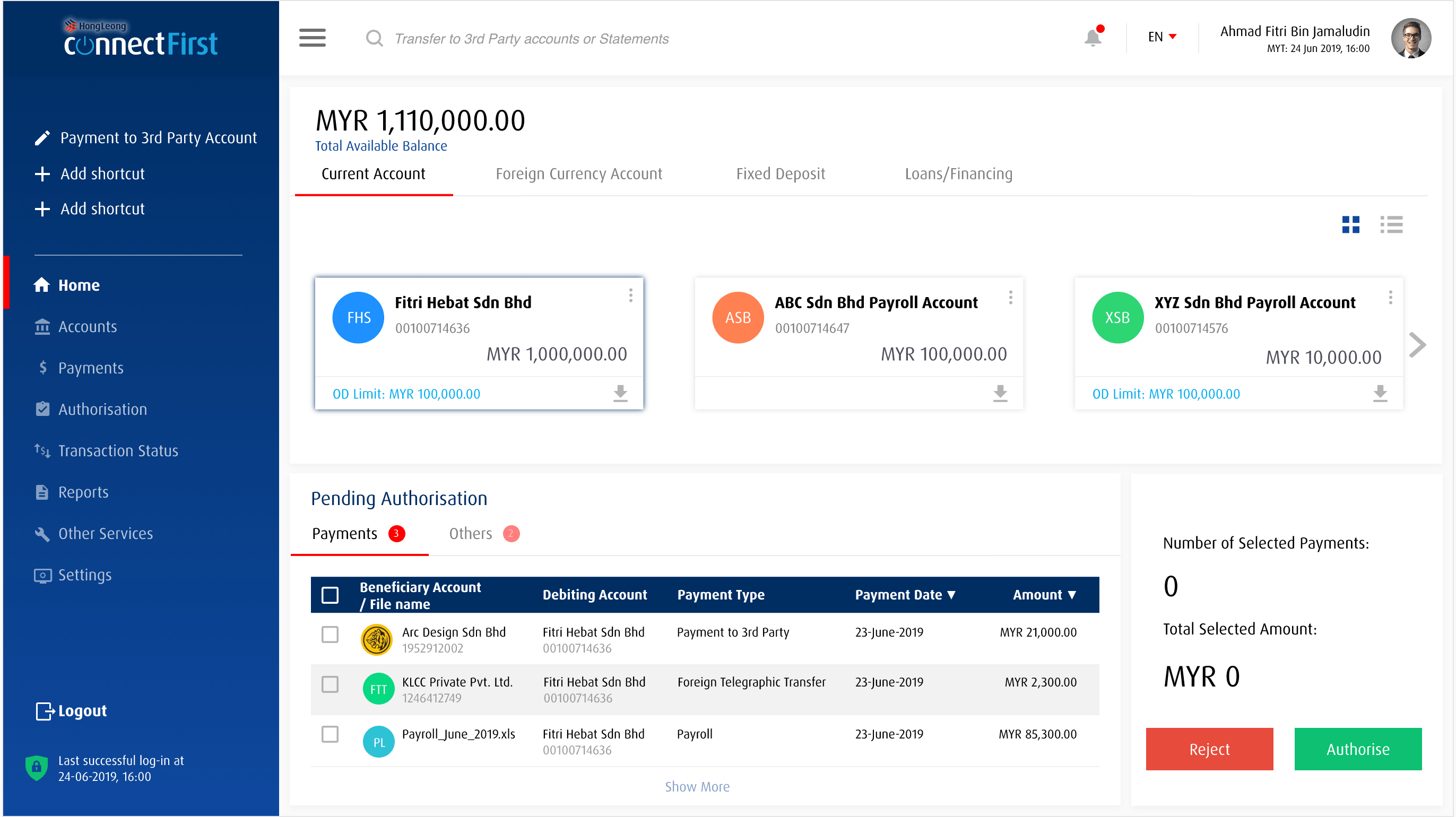
Desktop Dashboard
Accounts overview with pending authorizations
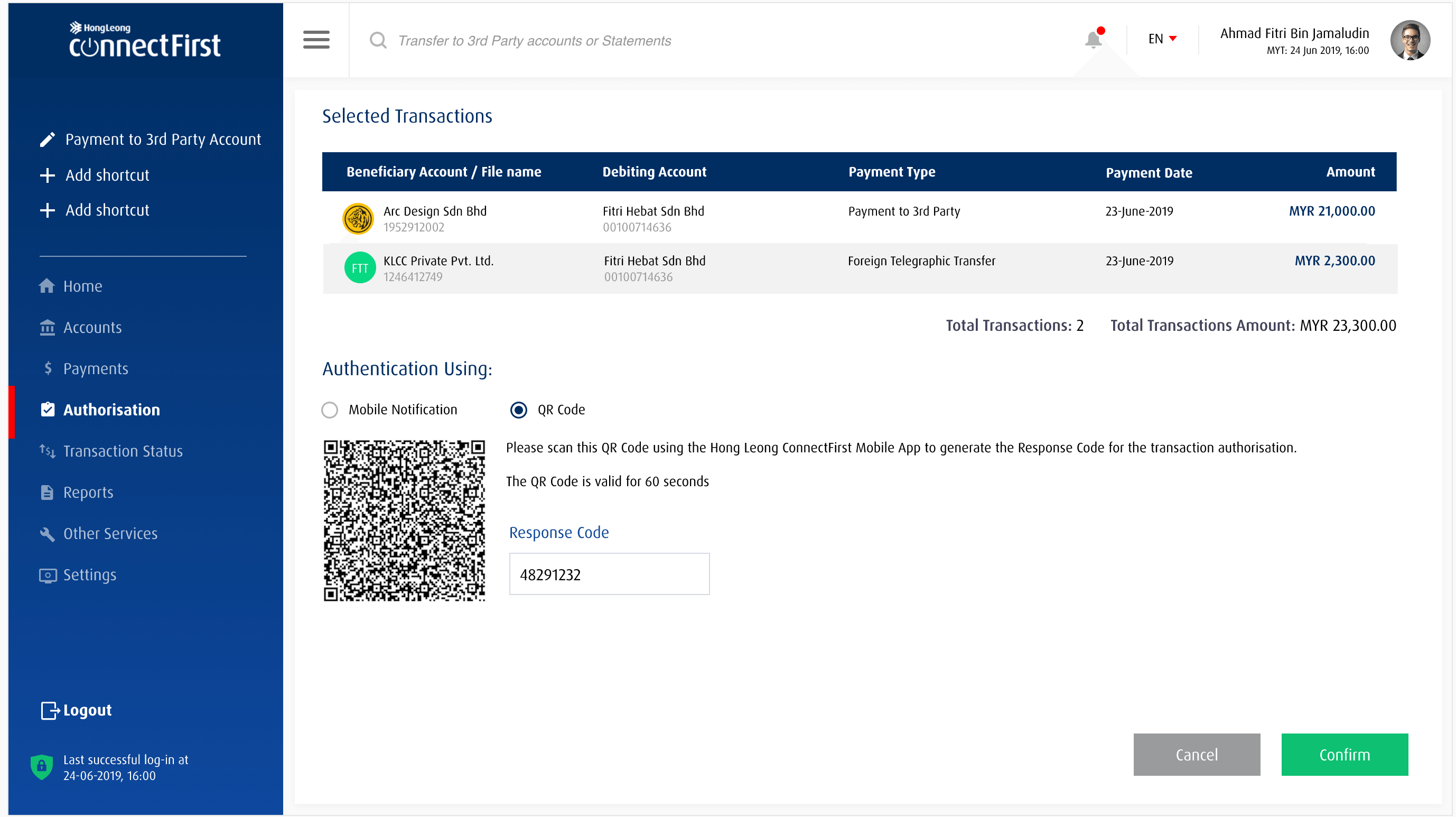
Authorization & QR Approval
Transaction selection with QR code verification
Same Brand. Richer Canvas.
The desktop experience extends the mobile design system to a wider layout — adding a master-detail account view, consolidated transaction dashboard, and responsive data tables for power users managing multiple accounts or business finances. Component parity with mobile ensures a seamless cross-device experience.
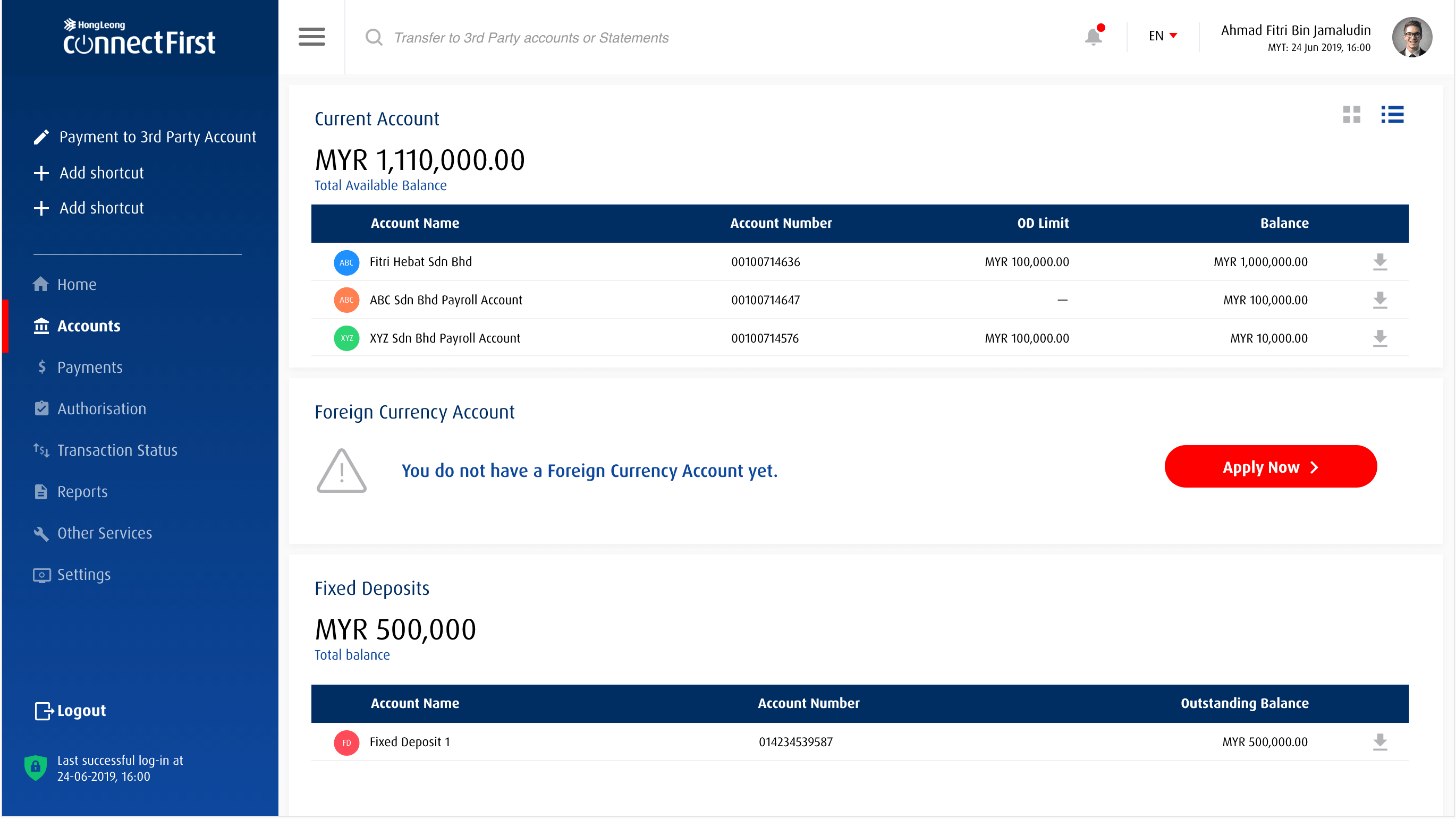
Desktop Accounts View
Current, foreign currency & fixed deposit accounts
Impact & ROI
Measurable Outcomes Across
Every Layer of the Experience
Post-launch measurement across usability metrics, operational KPIs, and financial impact showed consistent improvement — with the backoffice redesign delivering the largest single ROI.
Before vs After — Key Metrics
Estimated Annual Savings Breakdown
Reduced Customer Support
-38% inbound calls × avg $12/call handling cost
Backoffice FTE Efficiency
1,200 hours/month saved × fully-loaded cost
Reduced Training Overhead
Simpler UI — 40% faster onboarding of new staff
Digital Conversion Uplift
+31% digital task completion — reduced branch visit cost
Estimated Total Annual Savings
$3.27M+Net Promoter Score
What is NPS?
Net Promoter Score measures customer loyalty on a scale of -100 to +100. It's calculated by subtracting the % of Detractors from the % of Promoters.
Example Calculation
Promoters (9–10): 60% of respondents
Passives (7–8): 25% — not counted
Detractors (0–6): 15% of respondents
NPS = 60% − 15% = +45
Above +50 is excellent · Below 0 needs improvement
+12
Before
+47
After
+35 pts
improvement
Swift Payment Processing Errors
What is SWIFT?
SWIFT (Society for Worldwide Interbank Financial Telecommunication) is the global standard for cross-border bank payments. Errors occur when transaction data mismatches or approvals are incorrectly captured.
Why errors happened before
Manual re-entry — approvers copied data across 3 systems
No validation — mismatched amounts caught only post-batch
Email confirmations — easily missed or misread
How we reduced them by 67%
Single source of truth — all data pulled from one system
Inline validation — mismatches flagged before approval
Digital audit trail — no manual re-entry required
Erroneous approvals / data mismatches caught post-batch
-67%
error rate
Reflection
The Backoffice Was the Real Unlock
Redesigning consumer-facing screens is expected. What differentiated this engagement was going deeper — into the operational layer that most UX projects ignore. The backoffice approver redesign, while invisible to end customers, delivered the highest measurable ROI and directly influenced HLB's decision to expand the design system to three additional internal tools.
Screens Designed
60+
Design System Components
120+
Internal tools expanded to
3 more